
Sound xR Image is an immersive system that allows users to control the perceived positions of acoustic images within a space. Sound xR Image provides broad content creation support for a wide range of installations and events with comprehensive functionality facilitating smooth, efficient workflow from content creation right through to playback at the final venue, giving creators a stress-free environment where they can concentrate fully on realising their vision without being hampered by technical details. The ability to use multiple external control devices chosen by the user enables flexible system design while providing an extraordinary degree of creative freedom.
Immersive sound made easy
Content creators will love the seamless integration of Sound xR Image with Steinberg’s Nuendo DAW while engineers benefit from being able to control sound movements and other parameters not only from an intuitive Sound xR Image controller GUI, but also directly from industry-standard Yamaha mixing consoles. And venue/project owners get exciting new ways to engage and entertain their audiences, delivered via systems that precisely meet the scale and performance of their requirements.
Object-based rendering
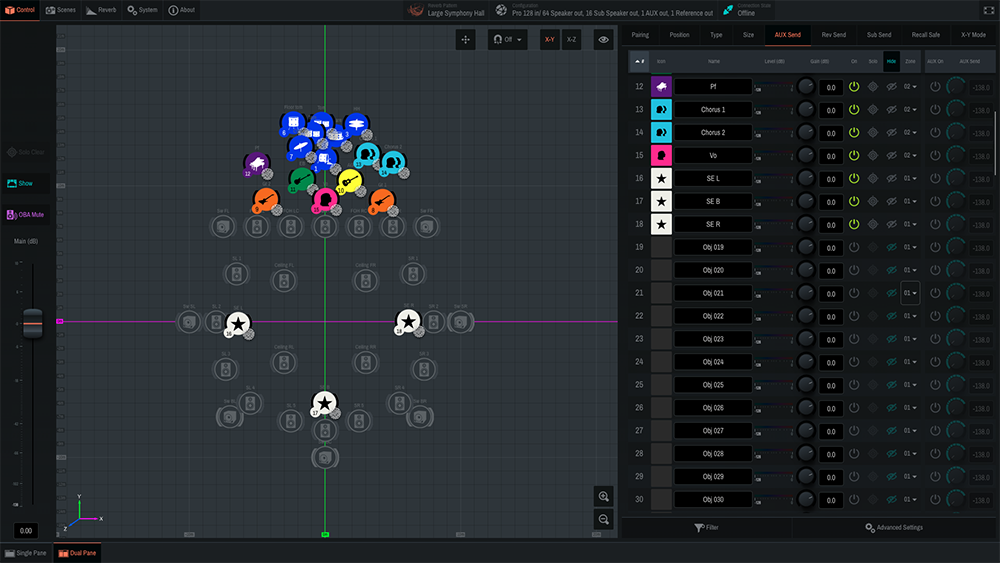
Sound xR Image employs an object-based audio system to enable flexible playback that adapts to different speaker configurations in studios or live venues and facilitates efficient mixing and production by allowing the same content to be reused across multiple venues. DBAP rendering techniques enable smooth sound image movement and the construction of highly flexible speaker systems.
For object-based rendering, the user can convert the DAW or console panning/rendering area to any configuration from a basic cube to a 16-sided polygon within which objects can be positioned. Three layers are available with heights that can be individually defined by the user. Speaker zoning allows audio objects to be assigned to specific sets of speakers within the system.
ADVANCED FEATURES
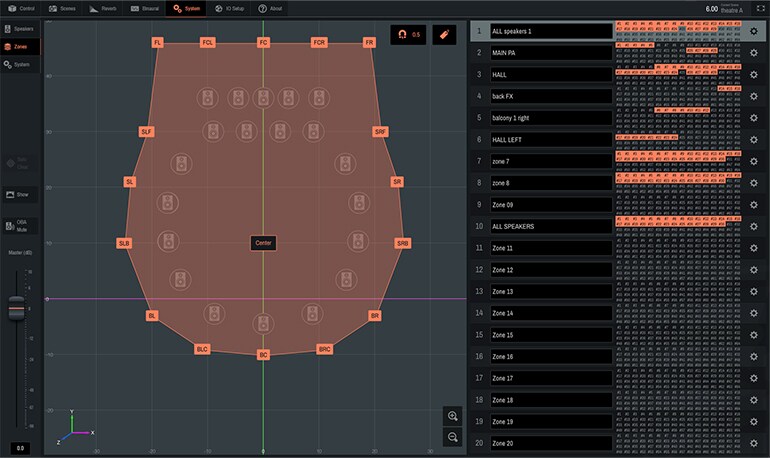
Sound objects can be rendered through a specific Speaker Zone to sharpen localisation like Rendering Area Conversion, which also minimises remixing work from studio to live venue. The Sub Renderer function simultaneously renders a single sound object to two speaker zones and can be used to support low frequency sound localisation and movement, and also used for front fill speakers or stage monitoring.
3D Reverb
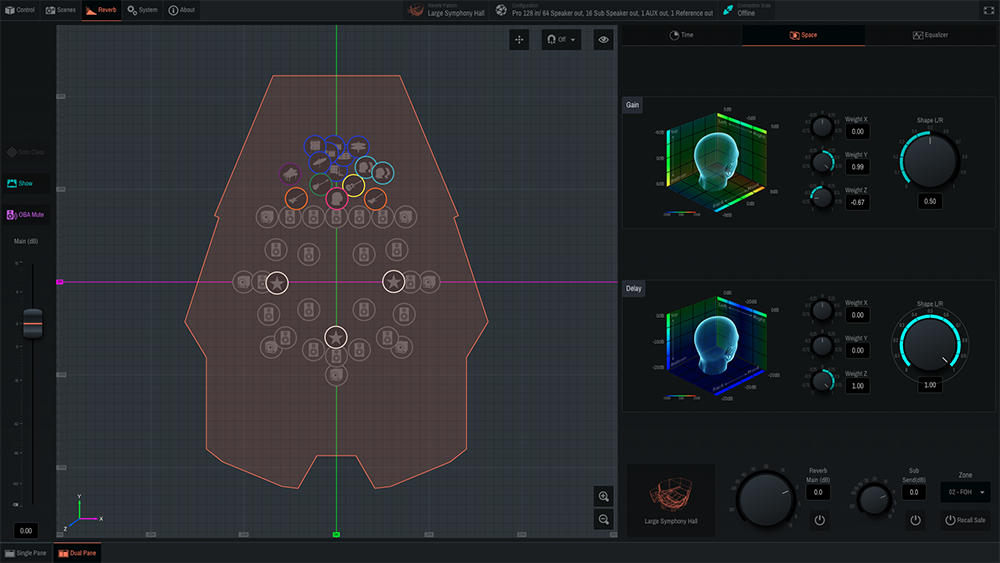
In a real acoustic space, perceived reverberation varies with the listening position. A knowledge base built up over years of designing theatres and halls has allowed Yamaha to develop original 3D reverberation technology that creates reverb optimised for the locations of individual objects, resulting in a deeper, more realistic sound field. The directionality and spread of the reverberation can be freely controlled via an intuitive graphical interface.
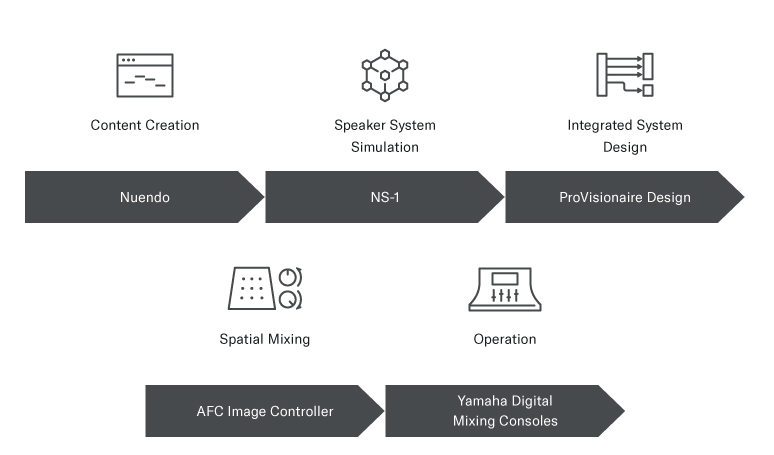
A seamless workflow from content creation to operation
NEXO has come together with other Yamaha Group Companies to deliver a unique and complete immersive audio workflow from sound design and content creation through to scalable delivery solutions.
Content Creation
Steinberg’s Nuendo DAW is the first choice for many professionals working in immersive sound, TV post-production, and game audio with powerful features to smoothly edit and assemble live or studio performances as well as imported audio sources on a single timeline. Its MultiPanner is a powerful, highly valued tool for object-based or channel-based 3D sound mixing and Nuendo natively supports Yamaha immersive systems so that content previously created using Nuendo can be reproduced with full impact in the latest Yamaha immersive environment.
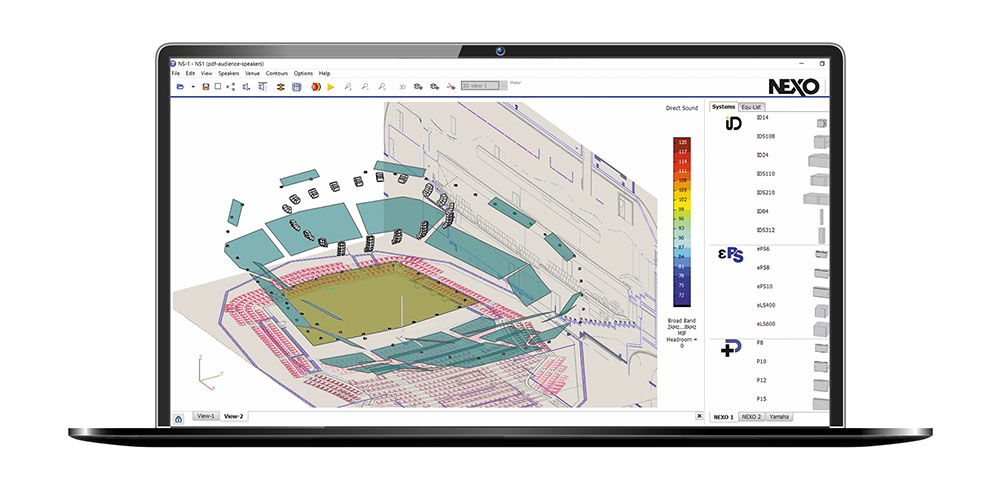
Speaker System Simulation
NEXO NS-1 is an intuitive drag-and-drop software tool for the configuration of any line source or point source system from NEXO’s catalogue, thanks to intuitive yet powerful tools applied to your own geometry. NS-1 not only assists in achieving the best SPL coverage but also certifies that mechanical constraints are satisfied.
NS-1 Immersive system design files can be imported to Sound xR Image Controller, making the whole process from studio design through to venue performance as quick, easy and accurate as possible.
Integrated System Design
ProVisionaire is a suite of software applications for the design, operation, and management of sound systems built around Yamaha Pro Audio products. Equally suitable for both the entertainment and ProAV markets, Yamaha’s fully customisable ProVisionaire software lets users create complex, fully scalable audio systems – from the smallest to the largest – using just one software suite. What’s more, it delivers the ability for them to be operated very easily by anyone – from the most knowledgeable audio engineer to the most inexperienced user – using a tablet, laptop or desktop computer.
Spatial Mixing
Once the speaker positions have been exported to Sound xR Image Controller, it’s time for the final playback. Sound xR Image supports object-based mixing using a Distance-based amplitude panning (DBAP) algorithm. Objects can be moved smoothly and easily in any direction using the intuitive user interface of Sound xR Image Controller.
Operation
Only the Yamaha Group offers this level of input-to-output functionality, performance, and universality for immersive audio. The comprehensive, granular control and operational efficiency provided by Yamaha’s extensive lineup of acclaimed digital mixing consoles is second to none.
Third-party devices
Sound xR Image works with a comprehensive range of third-party devices such as DAWs, show controllers, tracking systems, and more. OSC commands are supported for broad compatibility as well as ongoing and expanding collaboration with third-party manufacturers. Supported devices include:


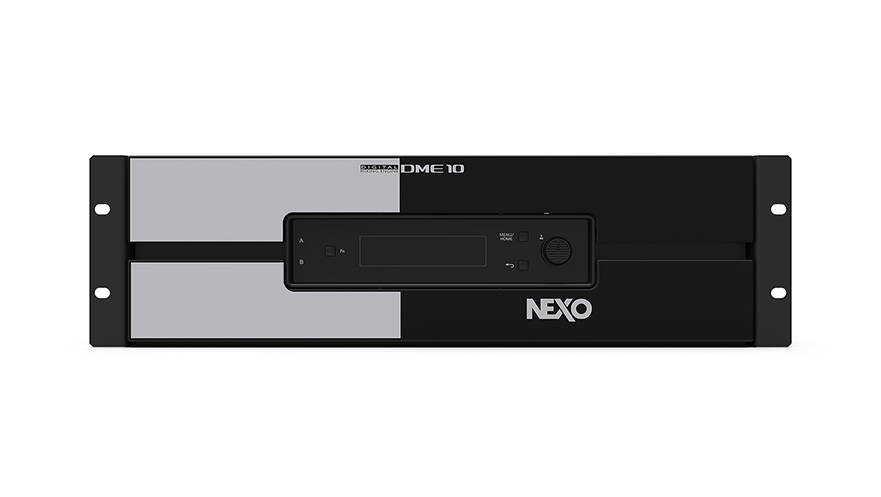
DME10 Immersive Audio Processor
For maximum system support and flexibility, Sound xR Image runs on the NEXO DME10 256 x 256 channel open architecture signal processor. A DME10 processor used to host Sound xR Image can be simultaneously used as a general processor, and the Sound xR Image audio component can be freely activated or deactivated as necessary (with the appropriate license), according to the current needs of the system.
DME10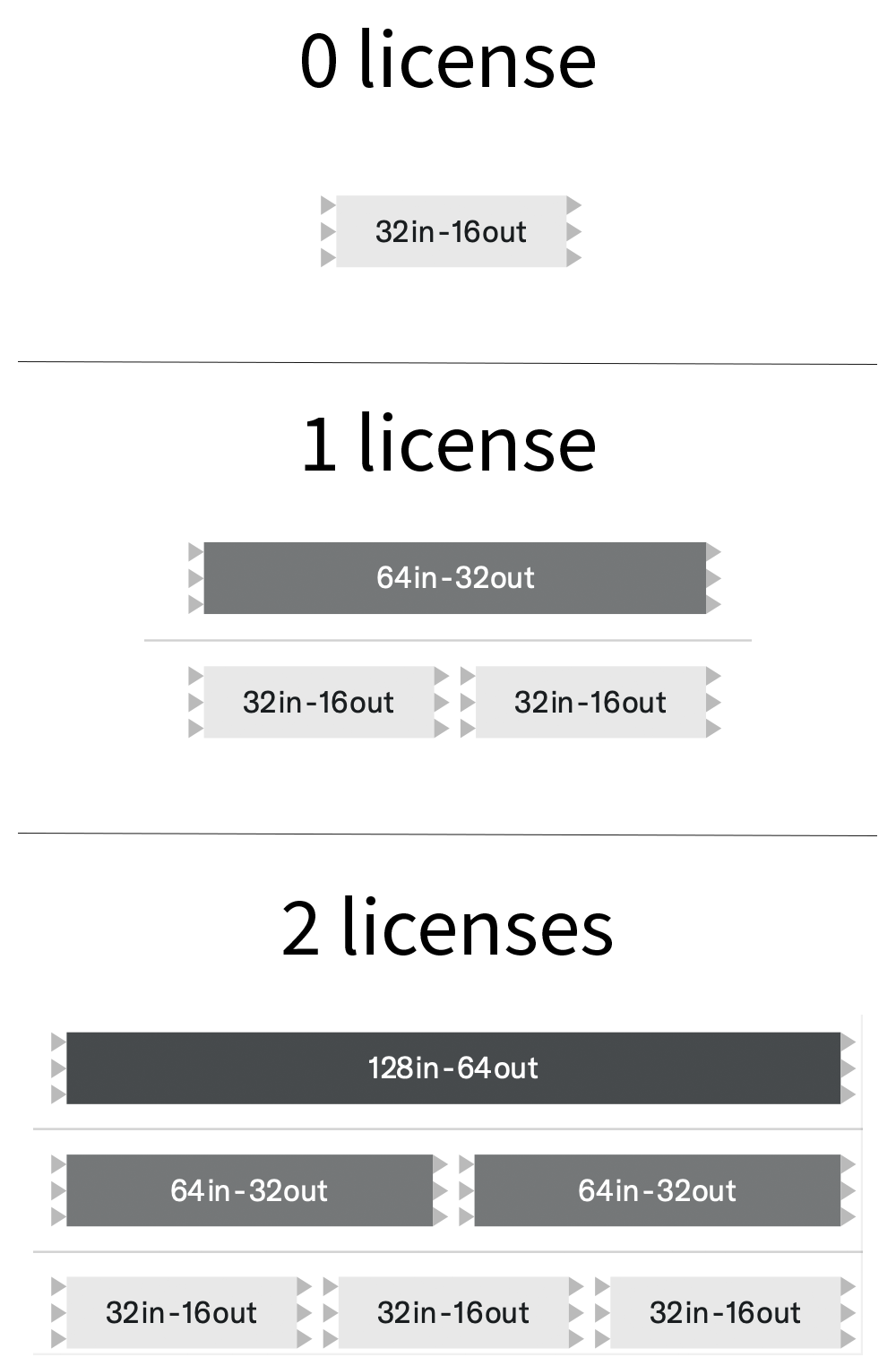
NXAFCI
DME10 ships with 32 object inputs / 16 speaker outputs included as standard, expandable in blocks of 32 x 16, 64 x 32 and 128 x 64 (NXAFCI) via a flexible licensing structure. Need the full channel count for a show today but two completely independent 64 channel immersive processors tomorrow? You can do that .